Alexa, Google Home, Apple Home or Home Assistant: Which?
Quick verdict
- Alexa: the most compatibility and the cheapest speakers. But everything goes through Amazon’s cloud, which nudges you toward Alexa+.
- Google Home: the most natural for general questions. Advanced automations are less developed, and the best Gemini features are paid.
- Apple Home: the best mainstream compromise for privacy. You have to live in the iPhone ecosystem, and the choice of accessories is narrower.
- Home Assistant: total control, local and subscription-free. It takes time and a server, and fully local voice calls for more powerful hardware.
Our recommendation: Home Assistant as the local brain, and a mainstream voice assistant for everyday voice control. That’s the hybrid strategy described below.
Quick comparison table
| Criteria | Alexa | Google Home | Apple Home / Siri | Home Assistant Assist |
|---|---|---|---|---|
| Offline | Mostly cloud; a few local commands | Mostly cloud | Local automations on the hub; Siri voice generally needs Internet | Local if you choose local recognition |
| Compatibility | Very broad: Wi-Fi, Matter, Thread depending on the device; Zigbee varies by model | Broad: Wi-Fi, Matter, Thread | Narrower: Matter, Thread, HomeKit | Very broad: Zigbee, Z-Wave, Thread, Matter, Wi-Fi |
| Privacy | Low: data processed by Amazon | Medium to low: data tied to the Google account | High: local processing, no data sales | Maximum: everything stays at home |
| Canadian English / French | Canadian English and French offered, quality varies | Canadian English and French offered, quality varies | Canadian English and French for a long time | Depends on the model and the hardware |
| Subscription | Optional: Alexa+ included with Prime | Optional: Google Home Premium | None (iCloud+ optional for cameras) | None (Nabu Casa optional) |
Capabilities vary by model and software version. Check the device’s listing and current pricing before you buy.
Amazon Alexa: compatibility and price
It’s the easiest ecosystem to get into: very affordable speakers on Amazon.ca, a huge catalogue of compatible devices and routines that are simple to build. Alexa+, the AI-boosted version, is available in Canada and included with Amazon Prime.
Its weaknesses. Almost everything goes through Amazon’s cloud: without Internet, voice stops. The microphones listen continuously for the wake word, and the platform regularly nudges you toward paid features. Without Prime, Alexa+ is billed at about $28 a month.
Who it’s for. People who want a cheap speaker and wide compatibility, and who accept Amazon’s cloud.
Amazon Echo Dot
Pros
- Very accessible price, often on promotion on Amazon.ca
- Huge catalogue of compatible devices
- Routines that are simple to build in the app
- Alexa+ included with Prime, available in Canada
Cons
- Depends on Amazon's cloud: without Internet, voice is cut off
- Microphones listening continuously and a push toward paid features
- Small speaker: the sound is decent, nothing more
Approximate budget: around $50 – $90.
Amazon Echo Hub
Pros
- 8-inch screen to control the house from the wall or a desk
- Supports Matter and Thread
- Shows cameras, lights and thermostats at a glance
Cons
- Needs PoE power or the supplied adapter, and a good location
- Still tied to Amazon's cloud
- Check the listing for Zigbee support before you buy
Approximate budget: around $180 – $260.
Google Home: the most natural assistant
Gemini for Home is available in Canada, and Google Home works well with Nest thermostats, cameras and Chromecast. It’s often the assistant that answers general questions best, especially on Android.
Its weaknesses. Advanced automations are more limited than with Alexa or Home Assistant unless you use the script editor. Features like Gemini Live require Google Home Premium, a paid subscription. Everything depends on the Google account and the cloud.
Who it’s for. Android users already in the Google ecosystem, who want good voice answers without tinkering.
Google Nest Audio
Pros
- Very good sound for a smart speaker
- Natural voice answers, good Android integration
- Works well with Nest thermostats, cameras and Chromecast
Cons
- Data tied to the Google account and processed in the cloud
- Advanced Gemini features require a Google Home Premium subscription
- Google now offers other speakers: check the model's availability on Amazon.ca
Approximate budget: around $100 – $150.
Google TV Streamer
Pros
- Also serves as a Thread and Matter hub for Google Home
- Full Google TV media player, with a remote that has voice search
- One device for the living room and the smart home
Cons
- More expensive than a simple speaker
- Depends on the cloud and the Google account
- No Zigbee support mentioned: plan for a USB dongle elsewhere
Approximate budget: around $130 – $180.
Apple Home and Siri: the privacy compromise
Apple Home relies on a hub (HomePod mini or Apple TV 4K) that runs automations inside the house, without going through a remote server. Siri has long been available in Canadian English and Canadian French, and Apple doesn’t sell your data.
Its weaknesses. You need an iPhone or an iPad. The choice of accessories is narrower, and some popular devices aren’t compatible. Siri remains less capable than its rivals for general questions, and voice control generally depends on Internet: only the execution of automations is local. For more on the protocols, see our guide to Zigbee, Thread, Matter or Wi-Fi.
Who it’s for. iPhone households that want a simple, private, reliable home with few devices.
Apple TV 4K / HomePod mini (Apple Home hubs)
Pros
- Thread and Matter hub for Apple Home
- Automations run locally, with no data sales
- Siri in Canadian English and French, built into the iPhone and iPad
Cons
- Limited to the Apple ecosystem: you need an iPhone or an iPad
- Narrower catalogue of accessories
- Not every Apple TV 4K model acts as a Thread border router: check the model before you buy
Approximate budget: around $130 – $260 depending on the model.
Home Assistant Assist: the 100% local reference
Home Assistant is the only one of the four where voice control can stay entirely at home. The Home Assistant Voice Preview Edition speaker has a physical switch that cuts the microphones, and recognition can run locally with Whisper and Piper: no listening in the cloud, no subscription. It works without Internet.
Its weaknesses. Be realistic about performance: quality recognition with Whisper calls for a powerful machine, and an Intel N100 Mini PC is often too tight for the larger models. English is the best-supported language, but the bigger models still benefit from more horsepower. The “Speech-to-Phrase” option runs on modest hardware, but it only understands a list of commands. So plan for a beefier Mini PC (see the Home Assistant installation guide) or optional cloud recognition. You also have to accept some tinkering, and the voice experience is less fluid than Alexa or Google.
Who it’s for. Privacy enthusiasts and anyone who wants a home that works even without Internet, as during an ice storm.
The hardware to plan for: a server (our mini PC comparison) and, for voice, the Voice Preview Edition speaker, sold by Nabu Casa and its distributors. For the step-by-step setup, follow our tutorial on a 100% local voice assistant with Home Assistant.
The hybrid strategy recommended by Le Labo Domotique
Don’t pick one camp. Use each tool for what it does best.
- Home Assistant, the local brain. It runs all the automations (lights, heating, leak detectors, no-subscription cameras) on your server, with no Internet and no subscription. A cloud outage changes nothing.
- Expose only what needs to be exposed. In Home Assistant, choose the devices to control by voice: lights, plugs, thermostats, scenes. Don’t share locks, the garage door or the alarm without a confirmation code.
- A mainstream assistant for everyday voice control.
- Apple: Home Assistant’s HomeKit bridge works locally at no cost: the simplest for an iPhone household.
- Alexa and Google: the simplest route goes through Home Assistant Cloud (Nabu Casa), an optional subscription. Free methods exist, with more effort.
- Keep a plan B. If the Internet goes down, your switches, sensors and automations keep going. Only the mainstream voice stops.
This approach limits the data sent to the cloud giants and keeps you from being locked into a platform. To control the house from outside, go through a VPN: see our guide to remote access with no cloud.
Which ecosystem should you choose?
- Tight budget, broad compatibility: Echo Dot, accepting the cloud.
- Android and general questions: Nest Audio or Google TV Streamer.
- iPhone household, privacy: Apple TV 4K or HomePod mini.
- Total control and operation without Internet: Home Assistant, ideally combined with one of the other three for everyday voice.
For the living-room TV, our Fire TV Stick comparison explains how to add Alexa and a dashboard to your television.
Went with Alexa? Follow our guide to setting up Alexa and Amazon devices, step by step.
If you go with Alexa, our Amazon Echo comparison 2026 details which models include a Zigbee, Thread and Matter hub.
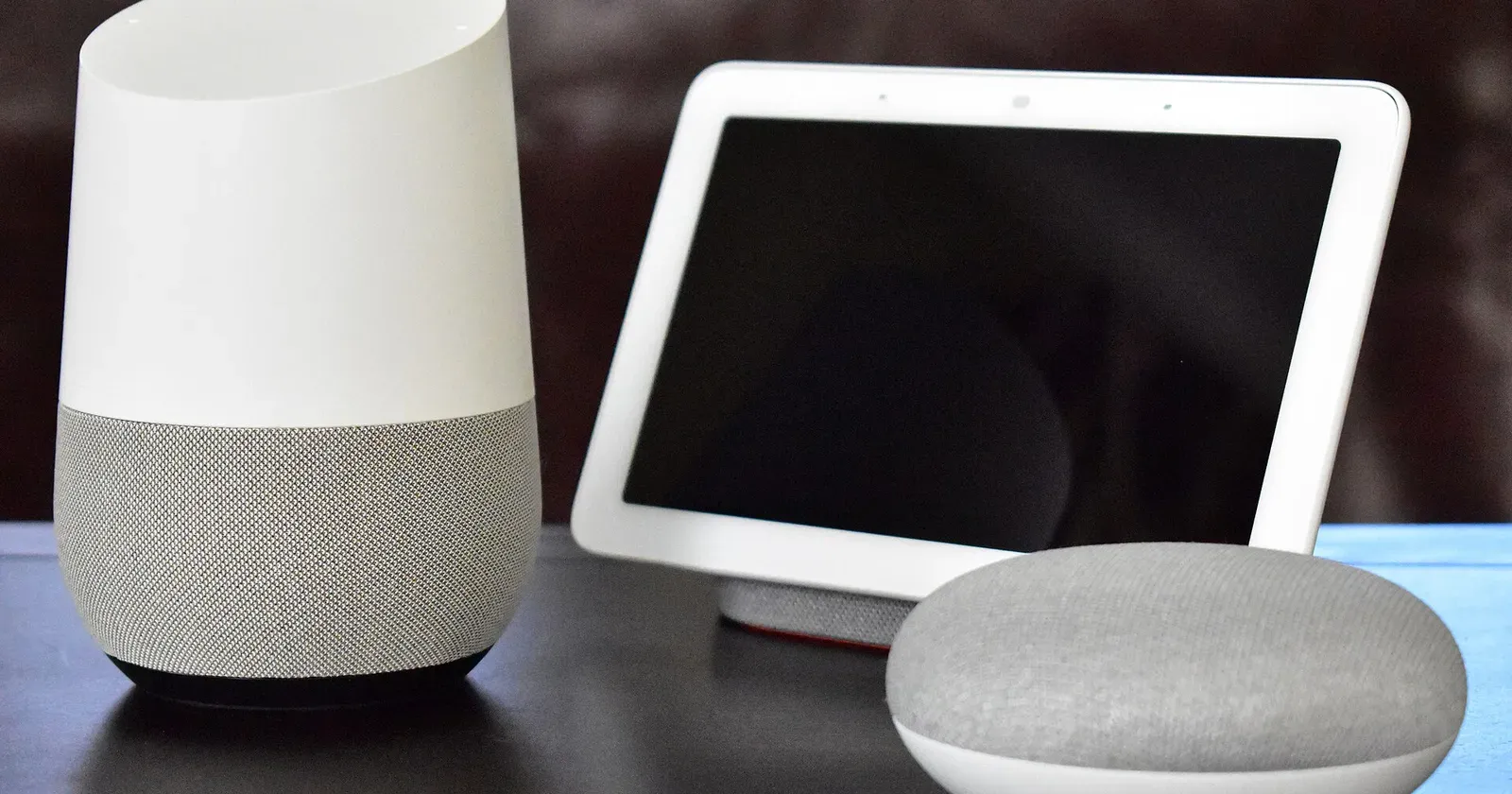
Photo: “Google Home with Home Hub and Home Mini on table”, Y2kcrazyjoker4, Wikimedia Commons, CC BY-SA 4.0 (cropped and converted).
Frequently asked questions (FAQ)
Which voice assistant best understands Canadian accents?
None does so perfectly, and there's no reliable independent test. Siri has long offered Canadian English and Canadian French voices and recognition. Alexa+ and Gemini for Home are now available in Canada, but quality varies by command and device. Home Assistant depends on the recognition model you choose. The safest approach: try them at home, with your own phrasing, before you buy everything.
Can I control my lights and thermostats if the Internet goes down in a storm?
It depends on the platform and the device. With Home Assistant and Zigbee, Thread or local devices, everything keeps working without Internet, through the switches, the local app and automations. With Alexa and Google Home, voice control mostly goes through the cloud and stops without Internet. With Apple, automations run on the hub, but Siri generally depends on Internet. If the power goes out, everything stops, unless you have a UPS.
Do I need a monthly subscription for Alexa or Google Home?
Not for basic use. Classic Alexa is free, and Alexa+ is included with Amazon Prime in Canada; without Prime, it costs about $28 a month according to Amazon. At Google, the basic Gemini for Home features are free, but advanced features like Gemini Live require a Google Home Premium subscription. Apple and Home Assistant need no subscription. Check current pricing on the manufacturers' sites.
How do I combine Home Assistant with Echo or Nest?
Keep Home Assistant as the brain and expose only the devices you want to control by voice. For Alexa and Google Home, the simplest route is Home Assistant Cloud (Nabu Casa), an optional subscription. Free methods exist too, but they're more technical. For Apple, Home Assistant's HomeKit bridge works locally at no cost. Your automations keep running on the local server, even without Internet.