Which Fire TV Stick Should You Buy in Canada in 2026?
Quick verdict
- The Lab’s #1 pick: Fire TV Stick 4K Max. The most powerful, with Wi-Fi 6E, Dolby Vision, 16 GB of storage and Fire OS, which accepts outside apps.
- Best value for a standard 4K TV: Fire TV Stick 4K (2026 model). But it runs Vega OS, with no Dolby Vision, and its app catalogue is limited.
- A second TV at 1080p: Fire TV Stick HD. For the bedroom, the cottage or the basement.
- Premium media hub: Fire TV Cube. Built-in Ethernet, hands-free Alexa speaker and an HDMI input.
One detail changes everything in 2026: the operating system. Read the “Vega OS or Fire OS” section before you buy.
Quick comparison table
| Criteria | Fire TV Stick 4K Max | Fire TV Stick 4K (2026) | Fire TV Stick HD (2026) | Fire TV Cube (3rd gen) |
|---|---|---|---|---|
| Resolution and HDR | 4K, Dolby Vision, HDR10+ | 4K, HDR10+, no Dolby Vision | 1080p, HDR10+ | 4K, Dolby Vision, HDR10+ |
| Wi-Fi / Ethernet | Wi-Fi 6E | Wi-Fi 6 | Wi-Fi 6 | Wi-Fi 6E and Ethernet |
| Storage | 16 GB | Check the listing (about 8 GB) | Check the listing (about 8 GB) | 16 GB |
| System | Fire OS | Vega OS | Vega OS | Fire OS |
| Powered from the TV’s USB port | No, wall adapter | Yes, possible depending on the TV | Yes, possible depending on the TV | No, wall adapter |
| Price in Canada (CAD) | Around $80 – $110 | Around $60 – $90 | Around $40 – $70 | Around $170 – $240 |
Specs for the 2026 models come from Amazon’s announcements and the tech press, and can change between batches. Prices are approximate ranges: use the “Check the price on Amazon.ca” button for today’s price.
The crucial point in 2026: Vega OS or Fire OS
Until now, every Fire TV ran Fire OS, a version of Android. You could install nearly any app. The new Fire TV Stick 4K and the HD model run Vega OS, a system built by Amazon that isn’t Android.
What Vega OS brings. A fast, light system that boots quickly.
What it costs.
- Android apps don’t run on it: every app has to be rebuilt for Vega by its publisher.
- No sideloading: you can only install what’s in Amazon’s Appstore.
- The big services like Netflix, YouTube, Prime Video and Disney+ are there, but the catalogue is thinner than on Fire OS. For Canadian apps like Crave, CBC Gem, CTV and Tou.tv, we couldn’t confirm availability on Vega: look in the Amazon.ca Appstore before you decide.
Who it’s for. Vega OS suits people who only watch the major platforms. If you rely on a specific Canadian app, or want to install a smart home dashboard, go for the 4K Max or the Cube, which stay on Fire OS.
1. Fire TV Stick 4K Max: the Lab’s #1 pick
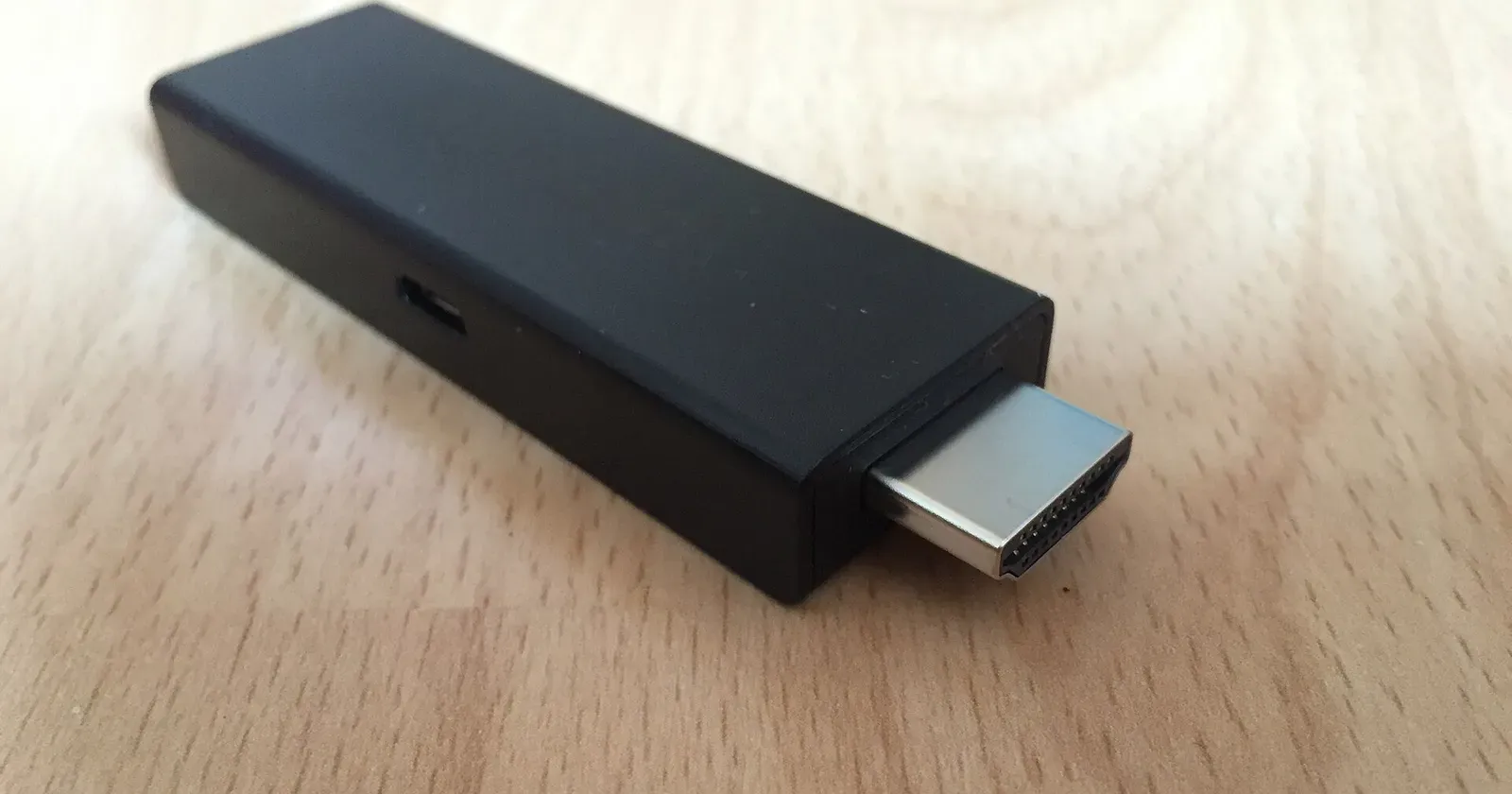
The most versatile: a quad-core processor of about 2 GHz, Wi-Fi 6E for the 6 GHz band of a Bell Giga Hub or a recent Deco, 16 GB of storage, and support for Dolby Vision, HDR10+ and Dolby Atmos. It keeps Fire OS, so advanced apps remain possible.
Amazon Fire TV Stick 4K Max (2nd generation)
Pros
- The most powerful Fire TV Stick: quad-core of about 2 GHz
- Wi-Fi 6E, compatible with recent routers
- Dolby Vision, HDR10+ and Dolby Atmos
- Fire OS: outside apps and Ambient Experience available
- 16 GB of storage
Cons
- More expensive than the other sticks
- Runs a bit warm in prolonged use, according to several tests
- Needs a wall outlet: no power from the TV's USB port
- The speed gain over the previous 4K Max is modest
Approximate budget: around $80 – $110.
2. Fire TV Stick 4K (2026 model): good value, with trade-offs
For a standard 4K TV, it’s the most economical. The remote has a customizable button, and power from the TV’s USB port avoids a cable dangling behind a wall-mounted TV, if the port supplies enough current.
Two important trade-offs: it runs Vega OS (apps limited to Amazon’s Appstore, no sideloading) and it offers no Dolby Vision.
Amazon Fire TV Stick 4K (2026 model)
Pros
- Lower price than the 4K Max
- Wi-Fi 6 and HDR10+
- Can be powered from the TV's USB port: one less cable on a wall-mounted TV
- Remote with a customizable button
Cons
- Vega OS: catalogue limited to Amazon's Appstore, no sideloading
- No Dolby Vision
- Availability of Canadian apps to confirm before you buy
- Can't install a custom smart home dashboard
Approximate budget: around $60 – $90.
3. Fire TV Stick HD (2026 model): the second TV
The economical option for the bedroom, the cottage or the basement, in 1080p. Wi-Fi 6, HDR10+ and direct USB power possible. It also runs Vega OS, so the same app limits apply.
Amazon Fire TV Stick HD (2026 model)
Pros
- The cheapest in the lineup
- Wi-Fi 6 and HDR10+
- Can be powered from the TV's USB port
- Enough for a 1080p TV or occasional use
Cons
- 1080p only: pointless on a 4K TV
- Vega OS: limited catalogue, no sideloading
- Little storage for apps
Approximate budget: around $40 – $70.
4. Fire TV Cube (3rd generation): the media hub
The most complete: Wi-Fi 6E, an Ethernet port for a wired connection, a hands-free Alexa speaker, Dolby Vision and Atmos. Its HDMI input lets you plug in a cable box or a console and control them by voice. It stays on Fire OS.
Amazon Fire TV Cube (3rd generation)
Pros
- Ethernet port: stable wired connection, no dependence on Wi-Fi
- Built-in hands-free Alexa speaker
- HDMI input to control a cable box or a console
- Dolby Vision, HDR10+ and Dolby Atmos, on Fire OS
Cons
- The most expensive in the lineup
- The Ethernet port is limited to 100 Mbps according to Amazon's specs
- Bulkier than a stick: you have to make room for it
- Hands-free microphones listen all the time: turn them off with the button if that bothers you
Approximate budget: around $170 – $240.
3 great smart home uses with a Fire TV
Almost all of these ideas need Fire OS (4K Max or Cube).
1. See the front-door camera on the TV. With an Alexa-compatible camera, you ask “Alexa, show the front door” and the image appears, sometimes in picture-in-picture (PiP) while you watch a movie. If your cameras are local, like the ones in our comparison of no-subscription cameras, you can display them through Home Assistant, with an app installed on Fire OS. Compatibility varies by brand: test before you rely on it.
2. The 4K Max’s Ambient Experience. When the TV is idle, the 4K Max shows weather, a family calendar, photos and a few device controls. It mostly picks up devices linked to Alexa. For a truly custom dashboard, install a Fully Kiosk-type app or the Home Assistant app instead, which requires Fire OS.
3. A movie-night scene. Create an Alexa “movie night” routine: the TV turns on, the smart lights dim and the blinds close, with one sentence. The lights and blinds must be Alexa-compatible, or exposed through Home Assistant. See our comparison of Alexa, Google Home, Apple Home and Home Assistant for the hybrid strategy.
Network: don’t ruin your streaming
- Wi-Fi 6E helps if your router supports it. The 4K Max and the Cube take advantage of the 6 GHz band of a Giga Hub or a compatible Deco, but it travels poorly through walls: a node near the TV does more than any device.
- If the TV is far from the router, use a cable. The Cube has a built-in Ethernet port, and a wall jack with a cable stays more stable than Wi-Fi at 4K.
- For a computer in the same situation, see our comparison of USB Wi-Fi 7 and 6E adapters.
Which Fire TV should you choose?
- You want your Canadian apps with no surprises, a dashboard or Dolby Vision: Fire TV Stick 4K Max.
- You only watch Netflix, YouTube and Prime Video on a 4K TV, on a small budget: Fire TV Stick 4K (2026), after checking your apps.
- A second 1080p TV: Fire TV Stick HD.
- A main room, with Ethernet and control of a cable box: Fire TV Cube.
To set up your Fire TV with Alexa and your devices, see our Alexa setup guide.
Frequently asked questions (FAQ)
Do I need a Prime subscription to use a Fire TV Stick?
No. The device works without an Amazon Prime subscription: you can install Netflix, YouTube, Disney+ and other apps with your own accounts. Prime Video, of course, requires a Prime subscription or a Prime Video account. A free Amazon account is enough to set up the device. Alexa+ features may depend on Prime: check the current terms on Amazon.ca.
Can I power the new Fire TV Stick 4K from the TV's USB port, without a wall outlet?
In some cases, yes, and that's its advantage on a wall-mounted TV. It only works if the TV's USB port supplies enough power, which isn't guaranteed: many TV USB ports are too weak and the device reboots or freezes. Keep the wall adapter handy to check, and read Amazon's listing before you buy.
Do Canadian apps like Crave, CBC Gem, CTV and Tou.tv work well on a Fire TV Stick?
On Fire OS devices (4K Max and Cube), these apps are usually available in Amazon's Appstore. On Vega OS models (the new 4K and the HD), the catalogue is smaller, because every app has to be rebuilt for that system. We couldn't confirm that all of these apps are offered there: check the Amazon.ca Appstore before you buy.
What's the difference between the Fire TV Stick 4K and the 4K Max?
The 4K Max is more powerful, with a 2 GHz quad-core processor, 16 GB of storage, Wi-Fi 6E, Dolby Vision and Ambient Experience. It stays on Fire OS, which accepts outside apps. The new 4K costs less and runs Vega OS: more closed, no Dolby Vision, Wi-Fi 6. If you use a lot of apps or want a dashboard, get the 4K Max.